Whether you’re jumping in for the first time or coming back after checking out the trailers, here’s everything you need to get NTE up and running on PC.
Before You Start
NTE is free to download and play on PC, with optional in-game purchases. The game also supports cross-play and cross-progression across supported platforms, allowing you to continue your progress when playing on another device.
Step-by-Step: How to Download NTE on PC
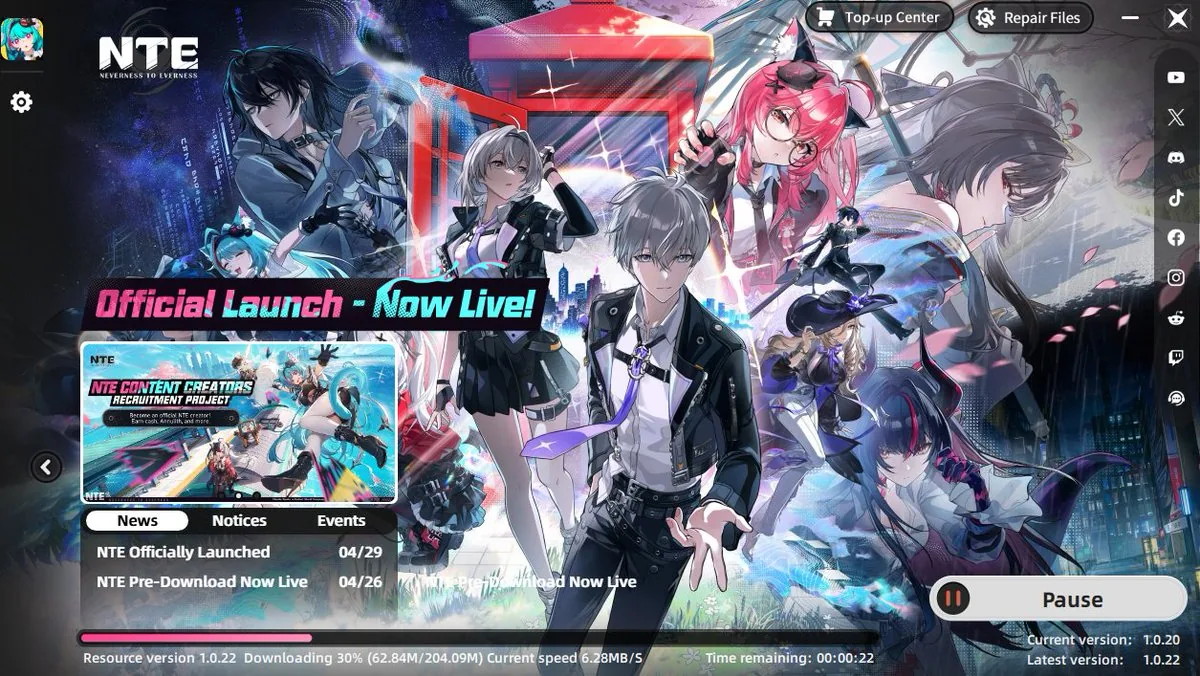
Getting NTE running on PC is simple:
- Go to the NTE download page and select PC Download to grab the launcher.
- Open the downloaded launcher file and accept the terms of use.
- Choose Start Install for the fastest setup (or Custom Install if you want to pick a different drive).
- Let the launcher download the game files. This can take a while depending on your connection, so a stable Wi-Fi connection is recommended.
- Once the installation is finished, launch NTE and sign in or create your account.
- Start the game and begin your journey in Hethereau.
NTE PC System Requirements
Before downloading, it’s worth checking whether your PC meets the current requirements.
| Minimum | Recommended | |
|---|---|---|
| OS | Windows 10 64-bit | Windows 10 64-bit or above |
| CPU | Intel Core i7-10700 | Intel Core i7-12700 |
| GPU | GTX 1660 / RX 5600 | RTX 3060 / RX 6700 |
| RAM | 16 GB | 16 GB |
| DirectX | Version 11 | Version 12 |
| Storage | 70 GB | 70 GB |
If your PC is around the minimum requirements, you should keep your graphics settings realistic. A system closer to the recommended configuration gives you more headroom for higher-quality settings.
One important detail: don’t treat the minimum requirements as a guaranteed FPS target. Actual performance can vary depending on your hardware, resolution, graphics settings, drivers, and what’s running in the background.
What Happens After Installing NTE?

Once the game is installed, launch NTE from the launcher and sign in with your account. After completing the initial setup and opening content, you’ll be ready to explore Hethereau and start building your roster.
New Player Rewards Waiting for You

Getting into NTE isn’t only about downloading the game. New players can also take advantage of the current reward offer, giving a fresh account a useful head start.
The current promotion highlights:
These rewards give new players a strong starting point before they get deeper into NTE’s character and gacha systems.
The official launch rewards have also included A-Class Haniel and other in-game rewards for eligible new players, although the exact rewards and claim conditions can depend on the current campaign. If you’re starting from scratch, it’s worth checking the current NTE rewards before you begin.
Ready to Jump Into Hethereau?

Once your PC meets the requirements, getting started with NTE is fairly straightforward: download the game, install the required files, sign in, and you’re ready to explore Hethereau.
With the current new-player rewards also available, there’s a good reason to start with a fresh account rather than waiting.
Download NTE on PC now and start exploring Hethereau.
NTE PC Download FAQ
Is Neverness to Everness free on PC?
Yes. NTE is a free-to-play game on PC, with optional in-game purchases.
What are the minimum PC requirements for NTE?
The current minimum requirements include Windows 10 64-bit, an Intel Core i7-10700, 16 GB RAM, a GTX 1660 or RX 5600, and 70 GB of available storage.
How much storage does NTE need?
NTE currently requires around 70 GB of available storage on PC.
Do I need an account to play NTE?
Yes. NTE supports account-based login, with available methods depending on the platform. Windows PC supports Facebook, Google, and email login.
Can I play NTE on PC with friends on other platforms?
Yes. NTE supports full cross-play, so PC players can team up with friends on PS5, Mac, iOS, or Android as long as everyone is connected to the same regional server.